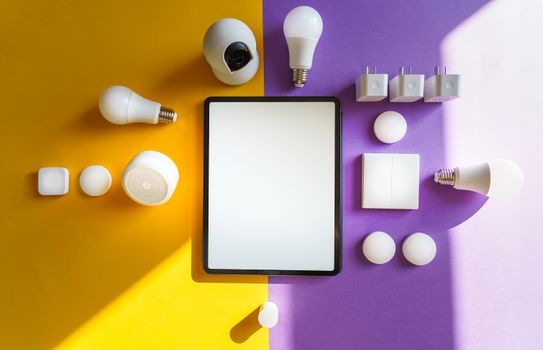
Thinking about making your home a bit smarter? It can feel a bit overwhelming at first, but it's actually a lot simpler than it seems. You don't need to change everything at once. Start with one or two devices that solve a small problem or add a bit of convenience to your day. Here are some great options to begin with in India.
Simple Devices to Get You Started
These are the building blocks. They're affordable, easy to set up, and you'll see the benefit right away.
Handy Tools For You
- Smart Bulbs: This is probably the easiest place to start. You just screw in a bulb that connects to your Wi-Fi. Then, you can turn your lights on or off, dim them, or even change their color—all from your phone. No more getting up to switch off the bedroom light!
- Smart Plugs: Want to make your old fan, lamp, or coffee maker smart? Plug it into a smart plug, and plug that into your wall. Now you can turn that appliance on or off from your phone. You can even set schedules, like having your geyser turn on an hour before you wake up.
- Smart Speakers: Devices like the Google Nest Mini or Amazon Echo Dot are great hubs. You can ask them to play music, set alarms, check the weather, or control your other smart devices just by using your voice. "Hey Google, turn off the living room lights."
- Smart Cameras: A small indoor camera can give you peace of mind. You can check in on your home from your office, see if your pet is okay, or get an alert if there's motion when you're away. Many are very easy to install.
How to Choose Your First Device
Don't just buy the first thing you see. Think about what would make your life easier. Do you forget to turn off lights? Start with a smart bulb. Do you want hands-free help in the kitchen? A smart speaker might be perfect. The key is to start small and see how you like it.
Also, try to stick to one "ecosystem" at first—like all Google Assistant devices or all Amazon Alexa devices. This makes sure everything works together smoothly. You can explore more advanced setups, like using multi-purpose tools for managing different tasks, once you're comfortable.
A Simple Setup Example
Let's say you get a smart bulb and a smart speaker. Here’s a typical flow of how you'd use them:
1. Install the smart bulb in your bedside lamp.
2. Download the companion app (e.g., Wipro, Philips Hue) and connect the bulb to your Wi-Fi.
3. Set up your Google Nest Mini and link the bulb's app to Google Home.
4. At night, instead of reaching for the switch, just say: "Hey Google, turn off the lamp."
5. You can also create a "Good Night" routine that turns off the lamp and plays soothing sounds.
For more technical control, like adjusting settings or creating automations, you might use a text editor to note down your routines or scripts.
Where to Buy and What to Look For
You can find these devices easily on Amazon, Flipkart, or from brand websites like Wipro, Philips, or Xiaomi. Look for devices that specifically say "Works with Google Assistant" or "Works with Alexa" if you want voice control. Read the reviews from other Indian users to see how the device performs on local networks.
Remember, the goal is to make things easier, not more complicated. Start with one thing, get used to it, and then add more if you want to. Welcome to your smarter home!
Frequently Asked Questions
📚 Read Next




Do I need a very fast internet connection for smart home devices?
Not necessarily. A stable broadband connection with decent speed (say 20-50 Mbps) is usually enough for basic devices like bulbs, plugs, and a camera. The most important thing is a reliable Wi-Fi router that covers your whole house.
Are these devices secure? Can someone hack my camera?
Security is a valid concern. Always buy from reputable brands, change the default passwords immediately, and keep the device's software updated. Most major brands use encryption to keep your data safe. Avoid using very obvious or simple passwords for your accounts. Using a strong password generator can help create secure passwords for your smart home apps.
Can I control these devices when I'm not at home?
Yes, that's one of the main benefits! As long as the device is connected to your home Wi-Fi and your phone has an internet connection (mobile data or other Wi-Fi), you can control it from anywhere. You can turn off appliances you forgot about or check your camera feed while on vacation.
What if the Wi-Fi goes down? Will everything stop working?
Most smart devices need Wi-Fi for remote control and voice commands. If the Wi-Fi is down, you might not be able to use your phone or voice to control them. However, many devices like smart bulbs and plugs usually have a physical switch (like the wall switch for the bulb) that you can still use manually.




