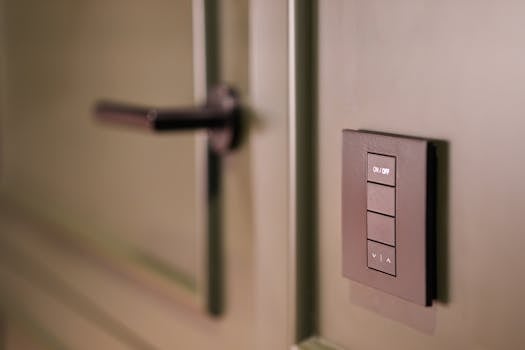
Thinking about making your home a bit smarter? A WiFi smart switch is a great place to start. It lets you control your lights or appliances from your phone, or even with your voice. If you're in India and looking for one, here are some simple tips and good options to help you choose.
What to Look For in a Smart Switch
Before you buy, keep these points in mind to get the right switch for your home.
Handy Tools For You
- Trusted Brands: Brands like Wipro, TP-Link (Kasa), and Syska are popular and reliable in India. They usually have good customer support too.
- Voice Control: Make sure the switch works with Google Assistant or Amazon Alexa. This lets you turn things on or off just by speaking.
- Scheduling: A useful feature that lets you set timers. For example, you can schedule your living room lamp to turn on every evening at 7 PM automatically.
- Easy Setup: Look for switches that are simple to install. Many just fit into your existing wall switchboard and connect to your home WiFi through a mobile app.
- App Experience: Check reviews about the companion app. It should be easy to use and stable.
How to Set Up a Typical Smart Switch
While each brand's app is different, the general setup process is quite similar. Here’s a basic idea of what you'll do:
1. Turn OFF the mains power for safety.
2. Install the smart switch in your wall box (replace the old switch).
3. Turn the power back ON.
4. Download the brand's app (e.g., 'Kasa Smart' for TP-Link).
5. Create an account and log in.
6. In the app, tap 'Add Device'.
7. The app will guide you to connect the switch to your home WiFi.
8. Once connected, you can rename it (e.g., "Bedroom Light").
9. Now you can control it from the app or add it to your voice assistant.
Important: If you're not comfortable working with electrical wiring, it's best to hire an electrician for installation.
Where to Buy and Compare
You can find these switches easily on major Indian e-commerce sites like Amazon India and Flipkart. Always check the current prices, read recent customer reviews, and watch for discounts during sales events.
For more tools that can help with home projects, like our Unit Converter for measurements or a Schema Generator for tech-related tasks, you can explore our collection of free online tools.
Frequently Asked Questions
📚 Read Next




Do I need a special hub for a WiFi smart switch?
No, most basic WiFi smart switches connect directly to your home WiFi router. You don't need to buy a separate hub or bridge. This makes them simpler and often cheaper to start with.
Can I use a smart switch with a regular fan or tube light?
You need to check the switch's rating. Most smart switches are designed for resistive loads like normal bulbs, LEDs, or heaters. For inductive loads like fans, motors, or tube lights, you must buy a switch specifically rated for that purpose. Using the wrong type can damage the switch.
What happens if my internet goes down?
If your WiFi is down, you won't be able to control the switch from outside your home or via voice commands. However, the physical button on the switch itself will usually still work, so you can turn your lights on and off manually at the wall.
Is it safe to use a smart switch?
Yes, products from reputable brands are designed with safety standards. They have features like overload protection. The main safety risk is during installation, which is why turning off the mains power or using a professional is crucial.




