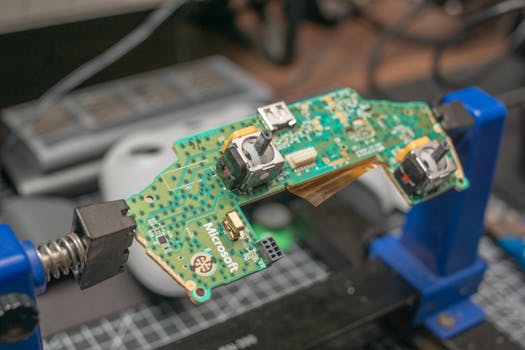
So, you've heard about microcontrollers and maybe even the PIC16F84A. Let's break it down in simple terms. Think of the PIC16F84A not as a mysterious chip, but as a tiny, programmable brain for your electronics projects.
It's a small computer on a single chip. You can write instructions for it (that's the programming part), and it will follow those instructions to control things like turning an LED on or off, reading a sensor's value, or moving a small motor. It's a fantastic starting point for anyone getting into electronics or embedded systems.
Handy Tools For You
What Can You Actually Do With It?
The beauty of a microcontroller like the PIC16F84A is its versatility. Here are some common ways people use it:
- Light Control: Create blinking patterns for LEDs, or build a simple traffic light model.
- Sensor Projects: Connect a temperature or motion sensor and have the microcontroller react—like turning on a fan if it gets too hot. Motor Control: Operate small DC motors for basic robotics, like a simple line-following car.
- Home Automation Basics: You could use it as the core for a DIY system to automatically turn lights on at dusk.
- Learning Tool: It's a classic chip for understanding the fundamentals of how microcontrollers work, from writing code to connecting hardware.
How Does It Work? A Simple Look Inside
Let's not get lost in complex diagrams. Here’s the basic idea:
- You Write a Program: You write code (often in a language like C or Assembly) on your computer. This code is your set of instructions.
- You Load the Program: Using a special tool called a programmer, you transfer that code into the microcontroller's permanent memory (its "Flash" memory).
- It Runs the Program: When you power it on, the PIC16F84A fetches and executes your instructions one by one, controlling the pins connected to your LEDs, buttons, or other components.
For example, a very basic program to blink an LED might look like this simplified pseudo-code:
void main() {
  // Set a specific pin (like RB0) as an output pin
  TRISB0 = 0;

  while(1) { // Loop forever
    RB0 = 1;  // Turn the LED ON (set pin high)
    delay_ms(500); // Wait 500 milliseconds
    RB0 = 0;  // Turn the LED OFF (set pin low)
    delay_ms(500); // Wait another 500 ms
  }
}
Getting Started with Your Own Project
Ready to try it yourself? You'll need a few things:
- The PIC16F84A Chip: The microcontroller itself.
- A Programmer: A device like a PICKit to load your code onto the chip. You can find affordable options online.
- Breadboard and Components: A breadboard for building your circuit without soldering, plus LEDs, resistors, wires, and a power source.
- Software: An Integrated Development Environment (IDE) like MPLAB X to write and compile your code.
Start with a simple "Hello World" project for hardware: making a single LED blink. It’s the most satisfying first step. There are many great tutorials on sites like Instructables or SparkFun that can guide you through this exact process.
Why Start with the PIC16F84A?
While newer microcontrollers exist (like various Arduino boards or more powerful PIC chips), the PIC16F84A has a special place. It's simple, well-documented, and has just enough features to learn the core concepts without being overwhelming. Understanding it gives you a solid foundation that applies to almost any other microcontroller you'll encounter later.
If you're looking to simulate a circuit or try things out in software first, you can use tools like our online Circuit Simulator to test your logic. For organizing your project notes or code snippets, a simple Text Editor can be very handy.
Frequently Asked Questions
📚 Read Next




Is the PIC16F84A still a good choice for beginners today?
Yes and no. It's an excellent tool for truly understanding the low-level workings of a microcontroller—how memory, pins, and instructions interact. However, for a first project where you want quick, easy results, platforms like Arduino might be more straightforward because they simplify a lot of the setup.
What's the main difference between a microcontroller (like PIC) and a microprocessor (like in my laptop)?
Great question! A microprocessor (CPU) is the core computing engine and needs external parts like RAM and storage chips to work. A microcontroller is an "all-in-one" system. The PIC16F84A has its own CPU, a small amount of memory, and input/output pins all on the same chip, making it perfect for dedicated control tasks.
I loaded my program, but nothing happens. What should I check?
Don't worry, this happens to everyone! Go through this checklist:
- Power: Is the chip getting the correct voltage (usually 5V)?
- Connections: Are all wires secure on the breadboard? Is your LED connected the right way around?
- Oscillator: Did you set up the clock configuration correctly in your code? The chip needs a "clock signal" to run, like a heartbeat.
- Fuse Bits: Did you configure the chip's settings (fuse bits) for the right clock source and other options when programming?
Can I use the PIC16F84A to control a website or connect to the internet?
Not directly. The PIC16F84A is designed for simple, localized control. To connect to the internet or a network, you would typically pair it with another specialized chip or module (like a Wi-Fi or Ethernet module) that handles the communication, and your PIC would send commands to that module.




