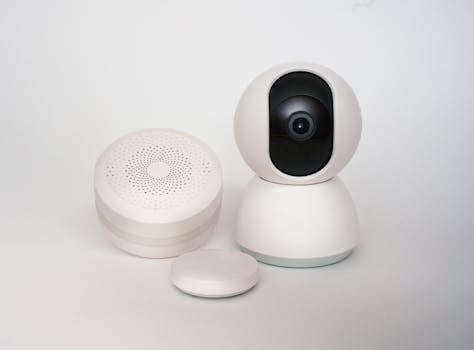
Thinking about getting a smart home setup? It's exciting! Lights that turn on with your voice, a thermostat that learns your schedule, and security you can check from your phone. But to get it working smoothly, you need the right people to install it. Here's what you should look for when choosing a home automation service in India.
What to Look For in an Installation Team
Not all installers are the same. You want a team that will make your life easier, not give you a headache. Here are the main things to check:
Handy Tools For You
- Experience Matters: Ask how long they've been doing this. A company that has installed systems in homes like yours will know the common pitfalls and how to avoid them.
- See Their Work: Don't just take their word for it. Ask if you can talk to a past customer or see photos/videos of their completed projects. It's the best way to know what you're getting.
- Support After the Sale: What happens if a light switch stops responding next month? Make sure they offer good after-sales support and maintenance. Your smart home should get smarter over time, not stop working.
- Get Multiple Quotes: Contact a few different providers. Compare not just the price, but exactly what's included in that price—the devices, installation, wiring, and setup.
- Talk About Your Day: Before they start, have a detailed chat. Explain your routine. Do you watch movies every night? Do you travel often? A good installer will listen and suggest a system that fits *your* life, not just a standard package.
Planning Your Smart Home Setup
A little planning goes a long way. Before you even call an installer, think about these points:
1. Priority List: What do you want most? (Security, lighting, entertainment, climate control?)
2. Budget Range: Have a rough figure in mind for devices and installation.
3. Existing Wiring: Is your home new or old? This can affect installation complexity.
4. Family Needs: Get input from everyone who lives there.
5. Future-Proofing: Ask if the system can add new devices later easily.
For more on planning and DIY basics, check out our guide on multi-purpose tools that can help you understand technical setups.
Common Technologies Used
Your installer might mention these terms. Here's a simple breakdown:
- Wi-Fi: Devices connect to your home internet. Easy to set up but can get crowded if you have too many.
- Zigbee / Z-Wave: These create their own low-power network. They are very reliable and don't clog your Wi-Fi.
- Central Hub: A device (like a brain) that connects all your different smart products so they can work together.
Choosing the right technology depends on your home size and needs. A professional can help you decide. For calculating costs and planning, our EMI Calculator might be useful for budgeting the project.
Frequently Asked Questions
📚 Read Next




How much does a basic home automation installation cost in India?
Costs can vary widely. A basic setup for lighting and a few smart plugs might start around ₹50,000. A full-home system with security, climate, and entertainment can go into several lakhs. Always ask for a detailed, itemized quote.
Can I add devices to my system later?
You should be able to! A well-designed system is scalable. When talking to your installer, specifically ask about how easy it is to add more lights, sensors, or cameras in the future.
What if my internet goes down? Will my smart home stop working?
Many basic functions, like scheduled lights or thermostat settings, should keep working if you have a local hub (like Zigbee/Z-Wave). However, features you control from your phone outside the house will need internet. A good installer will explain what works offline.
How long does the installation usually take?
For a standard 2-3 bedroom apartment, a basic installation might take 2-3 days. Larger villas or complex setups can take a week or more. The installer should give you a clear timeline.
Getting a smart home should be fun and make things simpler. Take your time, ask lots of questions, and choose an installer who feels like a partner, not just a vendor. For creating manuals or labels for your new devices, you can use our label maker tool.
Good luck with your home automation journey!




