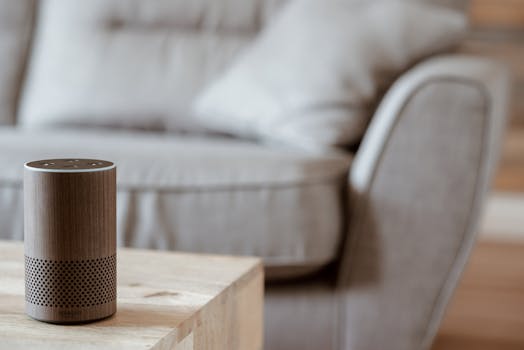
Want to make your home smarter? Here's how you can use Alexa and Google Assistant for easy automation:
Getting Started: The Basics
Think of Alexa and Google Assistant as helpful friends who can listen to you and talk to your gadgets. Your first step is to get one of these smart speakers or a display, like an Amazon Echo or Google Nest.
Handy Tools For You
Once it's plugged in and connected to your Wi-Fi through its app, you're ready to start adding your smart devices.
Connecting Your Devices
Most smart plugs, lights, or thermostats will work with either assistant. The process is usually the same:
- Open the Alexa or Google Home app on your phone.
- Tap the "+" or "Add device" button.
- Follow the instructions to put your new smart device into pairing mode (this often involves pressing a button on it).
- The app will find it and guide you through naming it (e.g., "Bedroom Lamp").
That's it! Now you can say, "Hey Google, turn on the Bedroom Lamp."
Making Life Easier with Routines
This is where things get really useful. Routines let you combine several actions into one command or schedule them to happen automatically.
Example "Good Morning" Routine:
You could create a routine so that when you say, "Alexa, good morning," it will:
- Turn on the bedroom lights at 30% brightness.
- Tell you the weather and your first calendar event.
- Start your smart coffee maker.
You set this up once in the app, and it runs every time. You can also make routines run at a specific time, like having all your lights turn off at 11 PM.
Hands-Free Control with Your Voice
The real magic is controlling things without lifting a finger. Once your devices are connected, try these simple commands:
- "Hey Google, set the living room temperature to 72 degrees."
- "Alexa, turn off all the lights."
- "Hey Google, lock the front door."
It feels futuristic, but it's just a simple voice command away.
What Kind of Devices Can You Use?
You'll be surprised by how many things you can connect. Here are some common ones:
- Lights & Plugs: Brands like Philips Hue, TP-Link Kasa, and Wyze.
- Thermostats: Nest, Ecobee, and Honeywell.
- Security: Smart locks (August, Yale), cameras (Ring, Arlo), and doorbells.
- Entertainment: Smart TVs, streaming sticks, and soundbars.
Before you buy a new smart gadget, just check the box or product description for the "Works with Alexa" or "Works with Google Assistant" logo. For more technical tools, like checking network details or generating code for projects, you can explore various online tools.
Key Points to Remember
- Connect your smart devices to Alexa and Google Assistant through their mobile apps.
- Create routines for daily tasks like turning off lights or adjusting the thermostat to save time.
- Control your home using simple voice commands for hands-free convenience.
- Look for the compatibility logo when buying new devices to ensure they work together smoothly.
Frequently Asked Questions
📚 Read Next




Do I need a hub for Alexa or Google Assistant?
Most of the time, no. The speaker itself (like the Echo or Nest) acts as the main hub for Wi-Fi-based devices like smart plugs and lights. Some specific ecosystems, like Philips Hue lights, might require their own bridge, but many devices connect directly.
Can I use both Alexa and Google Assistant in the same house?
Yes, you can. They operate independently. You might have an Echo in the kitchen and a Nest Hub in the living room. The smart devices themselves can usually be connected to both assistants at the same time, so you can use either voice command to control them.
Are routines complicated to set up?
Not at all. Both apps have a "Routines" section with a simple "Add+" button. You then pick a trigger (like your voice, a time, or a device action) and then choose what should happen (like which lights turn on or what the speaker should say). It's a step-by-step process.
What if my Wi-Fi goes down?
Most smart home functions will stop working because they rely on the internet to communicate. Basic functions of the speaker, like playing local music, might work, but you won't be able to control your lights or ask questions until the connection is restored.




