Building your own PC is an incredibly rewarding experience that offers complete control over your computing environment. Whether you're a gamer seeking maximum performance, a content creator needing specialized hardware, or simply someone who values customization, assembling your own computer provides unparalleled satisfaction and cost-effectiveness compared to pre-built alternatives.
Why Build Your Own PC?
Custom PC building delivers several significant advantages. You can select each component based on your specific needs and budget, ensuring optimal performance for your intended use cases. Building yourself often results in better value, as you avoid manufacturer markups and can shop for deals on individual components. Additionally, you gain valuable technical knowledge and the ability to easily upgrade or repair your system in the future.
Essential Preparation Steps
Before purchasing any components, define your budget and primary use case. Gaming rigs prioritize graphics cards, while video editing workstations benefit from more RAM and faster processors. Research component compatibility thoroughly—your CPU must match your motherboard socket, RAM must be compatible with your motherboard, and your power supply must provide adequate wattage for all components.
Essential Components:
- CPU (Processor)
- Motherboard
- RAM (Memory)
- Storage (SSD/HDD)
- Graphics Card (GPU)
- Power Supply Unit (PSU)
- Case
- CPU Cooler
- Operating System

Tools Required:
- Phillips screwdriver
- Anti-static wrist strap
- Thermal paste
- Cable ties
- Flash drive (for OS installation)
The Assembly Process
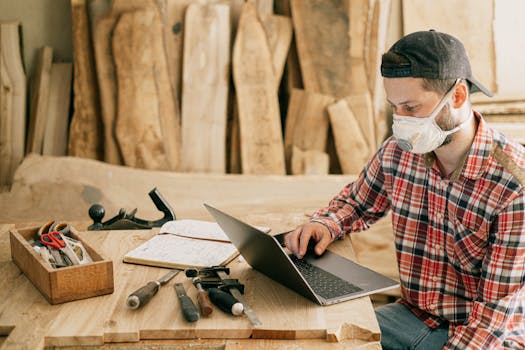
Begin by preparing your workspace with adequate lighting and a clean, static-free surface. Install the CPU, RAM, and M.2 storage on the motherboard before placing it in the case—this is much easier than working in the confined case space. Apply thermal paste carefully if your CPU cooler doesn't come with pre-applied paste.
Mount the power supply in your case, then install the motherboard using the provided standoffs. Connect front panel headers carefully, referring to your motherboard manual for proper pin configuration. Install storage drives in their designated bays and route cables neatly to ensure optimal airflow.
Post-Assembly Setup
Once all components are installed, connect your monitor, keyboard, and mouse. Power on the system and enter the BIOS/UEFI to verify that all components are detected. Create a bootable USB drive with your preferred operating system and begin installation. After OS installation, download the latest drivers from component manufacturers' websites rather than using generic drivers.
Key BIOS Functions to Verify:
- RAM running at correct speed (XMP/DOCP)
- Storage drives detected
- CPU temperatures normal
- Boot order set correctly
- All fans operational
Testing and Troubleshooting
Run stress tests using software like Prime95 or FurMark to ensure system stability under load. Monitor temperatures using HWMonitor or similar tools to verify your cooling solution is adequate. Test all USB ports, audio jacks, and other connectivity options. If you encounter issues, systematically check connections and consult component documentation.
Frequently Asked Questions
📚 Read Next




How much money can I save by building my own PC?
Typically, building your own PC saves 15-30% compared to equivalent pre-built systems. The savings come from eliminating assembly fees and manufacturer markups, plus the ability to shop for component deals individually.
What is the most common mistake beginners make?
Forgetting to install the I/O shield before mounting the motherboard is a frequent oversight. Another common issue is not fully seating RAM modules—they should click firmly into place with both retention clips engaged.
Do I need to buy Windows separately?
Yes, you'll need to purchase a Windows license unless you're using Linux or another free operating system. You can create installation media using Microsoft's Media Creation Tool and purchase a digital license.
How long does it take to build a PC for the first time?
For first-time builders, allow 3-5 hours for assembly and initial setup. Take your time—rushing can lead to mistakes. Experienced builders can typically complete assembly in 1-2 hours.
What should I do if my PC won't turn on after assembly?
First, verify the power supply switch is on and the wall outlet works. Check that the front panel power button is correctly connected to the motherboard. Ensure all power cables (24-pin ATX and CPU 8-pin) are fully seated. If problems persist, try booting with minimal components installed.